Building
fobis build compiles a Fortran project without a makefile: it reads the sources, finds which file defines each module and which files use it, compiles them in that order and links every program. A fobos file in the project root holds the configurations (modes) when the defaults are not enough. This page covers building programs; libraries, external libraries, Makefile export and editor integration are in Libraries and integration, dependencies in Dependencies, tests in Testing.
How it works:
- Settings. The command line's options, then one mode of the fobos:
--mode, else the first one listed in[modes], else the[default]section. The mode's templates are applied, then its$variablessubstituted. A key the mode sets replaces the command line's value, exceptcflags,lflagsandpreprocgiven on the command line, which are appended, and an explicit--targetor--build-dir, which wins. A key FoBiS does not know is ignored without a word. - Sources. The source directories are walked and every Fortran file is read for what matters to a build:
moduleandsubmoduledefinitions,usestatements,includelines,programstatements. Intrinsic modules (iso_fortran_env,iso_c_binding,ieee_*,omp_lib,openacc,mpi, the compiler's own) are skipped. The files are read in the same order on every machine. - Graph. A
useof a project module makes the file depend on the file defining it, anincludeon the included file. Every module is compiled before its users; the files of one level do not depend on each other and compile in parallel with-j. A circular dependency stops the build. A module no project file defines is left to the compiler, which must find its.modin an include directory. - Rebuilds. A file is compiled again when its object is missing or older than the source, or when a file it depends on, directly or not, changed. Changing the flags recompiles nothing unless
cflags_heritageis on; changing the compiler recompiles everything. - Link. Each program is linked with the objects of the files it reaches through
use, plus every file that defines no module (external procedures, C files). A module no program uses is compiled but not linked. - Outputs. Objects in
<build_dir>/<obj_dir>, module files in<build_dir>/<mod_dir>, programs in<build_dir>.
Tutorial: a first build, a fobos, templates and variables, profiles and features. Reference: build, clean, run, check, introspect, new, every mode key, compilers.
Start a new project
fobis new demo                  # ./demo: a module, a program, a test
fobis new kit --lib             # a library: lib<name>.a in release, lib<name>.so in shared
fobis new . --name my_tool      # fill the current directory
fobis new demo --compiler intel_nextgen
fobis new demo --scaffold # then fobis scaffold init --yes: CI, docs, release script$ cd ~ && fobis new demo
Created project demo in demo/ (git: initialised)
src/demo.f90
app/main.f90
test/test_demo.f90
fobos
.gitignore
Next: cd demo && fobis build && fobis test$ cd ~/demo && fobis build --quiet && ./build/debug/demo && fobis test --quiet
Building app/main.f90
Compiling src/demo.f90 serially
Compiling app/main.f90 serially
Linking build/debug/demo
Target app/main.f90 has been successfully built
mean of 1, 2, 3, 4: 2.5
Building test suite (1 target(s))...
PASS test_demo (0.00 s)
Results: 1 passed, 0 failed, 0 skipped
Total: 0.00 sWhat it writes: src/NAME.f90 (a module), app/main.f90 (program main, linked as build/<mode>/NAME; not with --lib), test/test_NAME.f90, a .gitignore (/build/, /.fobis_deps/, /.fobis/, /compile_commands.json) and a fobos: [project] (name, version 0.1.0, authors from git config user.name/user.email), modes debug (sources and tests, build_profile = debug) and release (build_profile = release; with --lib the static library, plus a shared mode), [test] test_dir = test.
- NAME is the directory's name, or
--name; it must be a Fortran name (a letter, then letters, digits,_). - Any compiler family: the modes use build profiles, so
--compilergets that compiler's flags. - Never overwrites. When any of the files exists, nothing is written and the files are listed (exit 2).
- git: a repository is initialised, nothing committed, unless the directory is inside one or
--no-gitis given. - Exit codes: 0 created, 2 invalid name or existing files, 1
--scaffoldfailed (the project is written).--jsonprintsstatus,name,path,files,git.
Build without a fobos
In a project with no fobos, fobis build scans the source directory, compiles every module in order and links every program it finds:
$ fobis build
[auto-discover] src not set; scanning: ./src
Builder options
  Directories
    Root of source files directory: "src"
    Building directory: "."
    Compiled-objects .o   directory: "obj"
    Compiled-objects .mod directory: "mod"
  Compiler options
    Vendor: "gnu"
    Compiler command: "gfortran"
    Module directory switch: "-J"
    Compiling flags: "-c"
    Linking flags: ""
    Preprocessing flags: ""
    Coverage: False
    Profile: False
  Archiver: ar -rcs
  Ranlib: ranlib
  Preprocessor used: None
  Preprocessor args:
  Preprocessor output directory: None
  Preprocessor extensions processed: []

Building src/integrate.F90
Compiling src/quad_rules.F90 serially
Compiling src/integrands.F90 serially
Compiling src/integrate.F90 serially
Linking ./integrate
Target src/integrate.F90 has been successfully built$ find . -type f | sort
./integrate
./mod/integrands.mod
./mod/quad_rules.mod
./obj/.fobis-compiler.json
./obj/integrands.o
./obj/integrate.o
./obj/quad_rules.o
./src/integrands.F90
./src/integrate.F90
./src/quad_rules.F90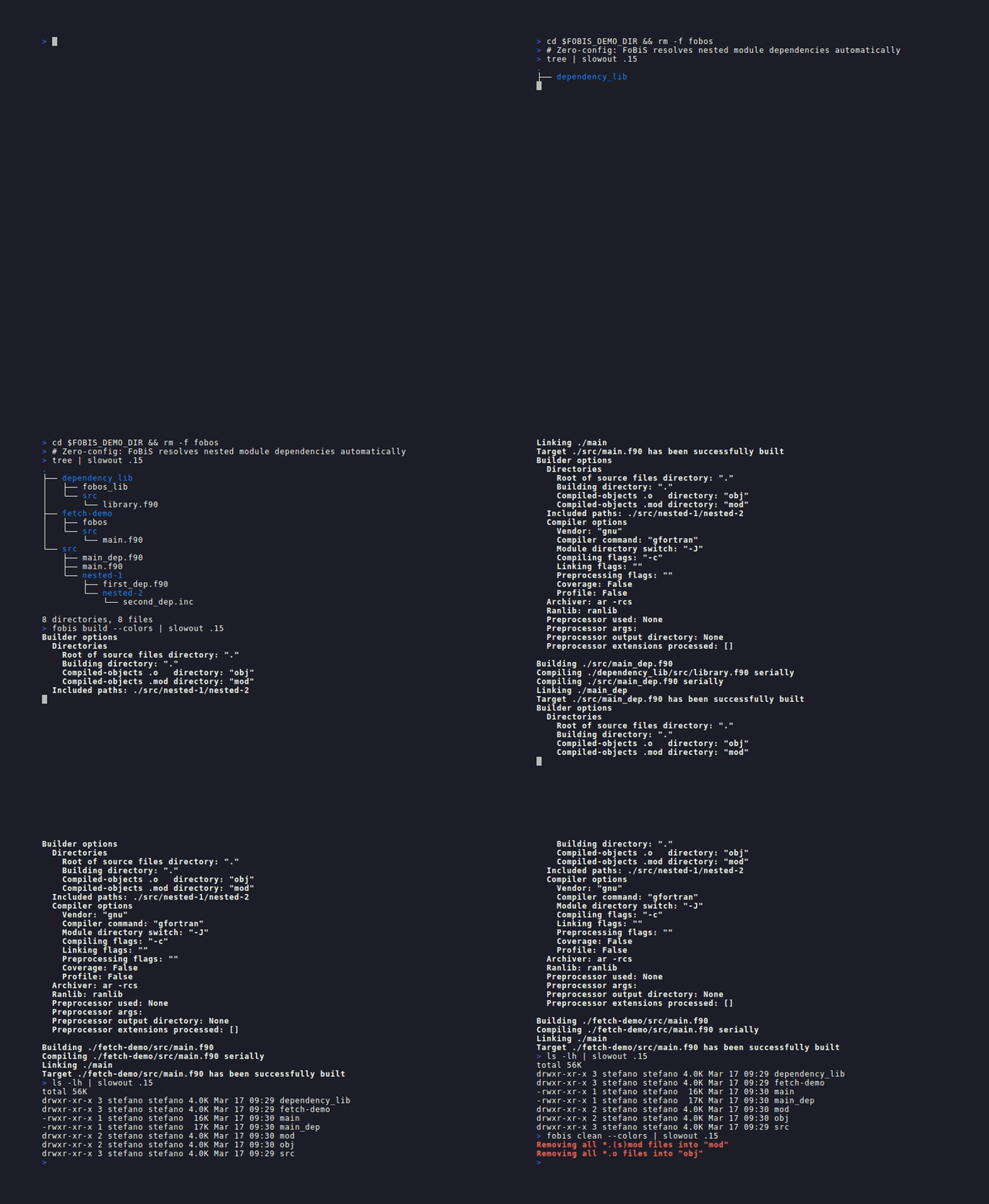
No fobos: the sources found, compiled in dependency order and linked, then fobis clean.
- Source discovery. Without
src(in the mode or on the command line), FoBiS scans every one ofsrc/,source/andapp/that holds a Fortran file, and says so ([auto-discover] src not set; scanning: ./src); none of them, the current directory.--no-auto-discover(mode keyno_auto_discover = True) scans the current directory instead. A project laid out asfobis newmakes (src/andapp/) is found as a whole. - Defaults:
gnu(gfortran),cflags = -c, objects in./obj/, modules in./mod/, programs in./, named after their file. - Everything on the command line works too:
fobis build --compiler intel_nextgen --cflags "-c -O2" -j 4.
Write a fobos
One configuration, in a section named [default]:
[default]
compiler  = gnu
cflags    = -c -O2
src       = ./src/
build_dir = ./build/
target    = src/main.f90
output    = myapp
Several configurations, each a mode, listed in [modes]:
[modes]
modes = debug release

[debug]
help      = Checks on, no optimisation
compiler  = gnu
cflags    = -c -O0 -g -fcheck=all -Wall
src       = ./src/
build_dir = ./build/debug/
target    = src/integrate.F90

[release]
help      = Optimised
compiler  = gnu
cflags    = -c -O2
src       = ./src/
build_dir = ./build/release/
target = src/integrate.F90fobis build # the first mode listed: debug
fobis build --mode release
fobis build --lmodes # the modes, with their help line
fobis build -f fobos.intel # a fobos with another name or path$ fobis build --lmodes
The fobos file defines the following modes:
- "debug" Checks on, no optimisation
- "release" Optimised$ find build -type f | sort
build/debug/integrate
build/debug/mod/integrands.mod
build/debug/mod/quad_rules.mod
build/debug/obj/.fobis-compiler.json
build/debug/obj/integrands.o
build/debug/obj/integrate.o
build/debug/obj/quad_rules.o
build/release/integrate
build/release/mod/integrands.mod
build/release/mod/quad_rules.mod
build/release/obj/.fobis-compiler.json
build/release/obj/integrands.o
build/release/obj/integrate.o
build/release/obj/quad_rules.o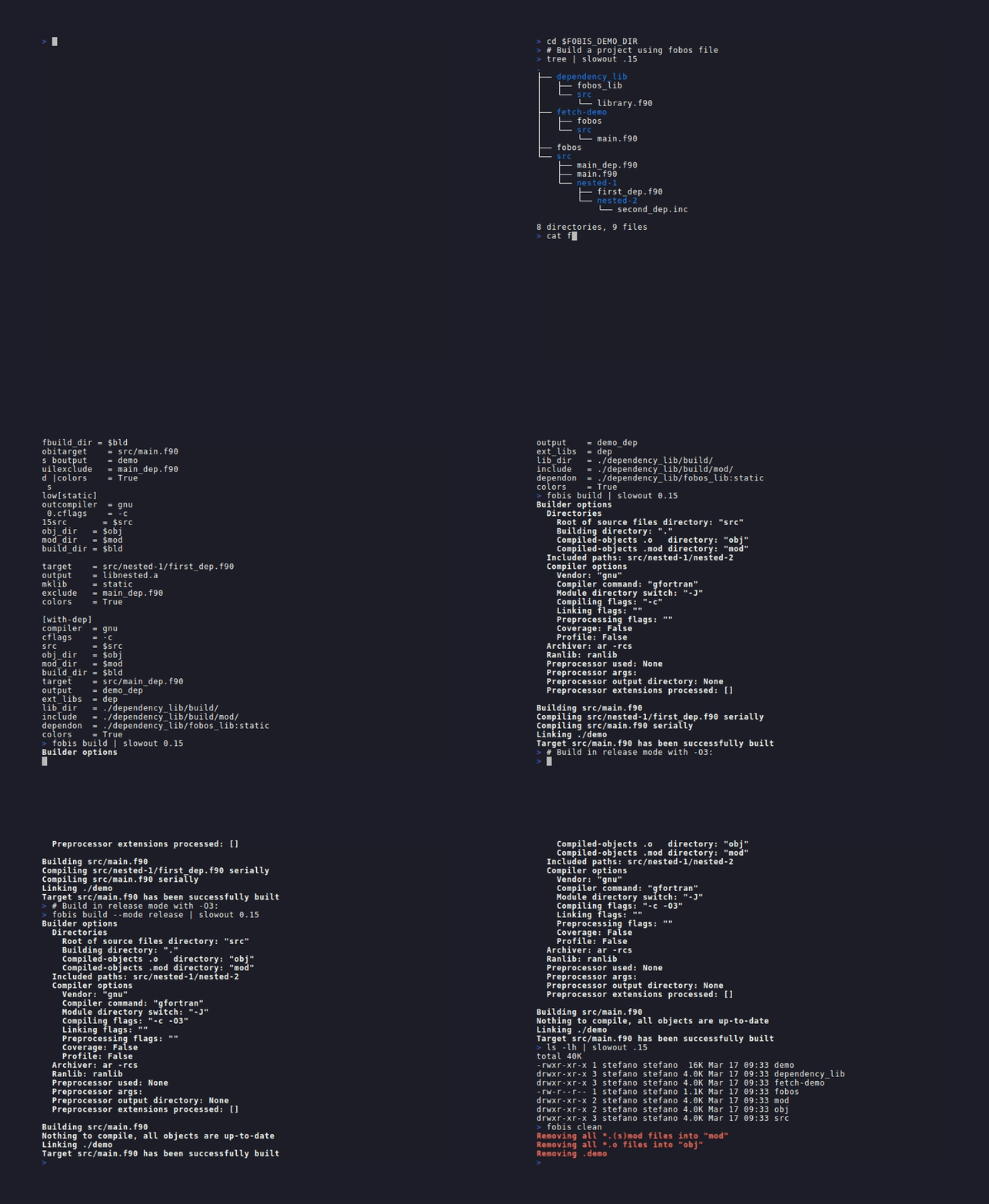
A fobos with two modes: fobis build in the first one, then --mode release.
- Mode keys are the command-line options without the leading
--and with underscores (--build-dirisbuild_dir). Every key is in the fobos reference. - A misspelt key is ignored without a warning. Check it with
fobis introspect --buildoptions(below). cflagsmust hold-c: a mode writingcflags = -O2compiles and links each file, and the build fails at the first module. A mode withoutcflagsgets-c.- Comments go on lines of their own, starting with
;or#. A comment after a value is part of the value:compiler = gnu ; laptopnames a compilergnu ; laptop. FoBiS warns when a value holds;or#, except in the shell commands run by bash:[rule-*]sections and thesetupandcheckkeys. The same holds for the user configuration. - Values span lines when the next lines are indented (a long
modeslist, severalsrcdirectories). - Key names are case-sensitive.
--fcimakes them case-insensitive (values stay as written). - Which section is used:
--mode NAMEneeds a[modes]section listing NAME. Without[modes]only[default]is read; a fobos with neither warnsfobos file has not "modes" section neither "default" one. - An unknown
--modeprints an error and the defined modes, and exits with status 0: a script cannot tell it from a success.
Name and version the project
[project]
name       = quad
summary    = Quadrature rules
version    = VERSION
repository = https://github.com/me/quad
website    = https://me.github.io/quad
email      = me@example.org
year       = 2020
authors    = Ada Fortran
             Charles Babbage
Every key is optional; authors go one per line. fobis introspect --projectinfo, fobis tree, pkg-config files, fobis fpm export and fobis scaffold (, default the current year) read it.
versionis a literal, or a file holding it: a path relative to the git repository root (outside a git repository, next to the fobos). The result gets a leadingv(1.2.3->v1.2.3).- Without
version, the latest git tag (git describe --tags --abbrev=0) is the version. - Both set and different: a warning names both and the two fixes (change the fobos, or tag).
Debug and release builds
One mode per configuration; a build profile writes the flags for the mode's compiler:
[modes]
modes = debug release

[debug]
compiler      = gnu
build_profile = debug
cflags        = -c
src           = ./src/
build_dir     = ./build/debug/

[release]
compiler      = gnu
build_profile = release
cflags        = -c
src           = ./src/
build_dir = ./build/release/fobis build --list-profiles # every compiler's flags for each profile
fobis build --mode debug
fobis build --mode debug --build-profile release # the command line's profile wins over the mode's$ fobis build --list-profiles | grep -E "compiler|----|gnu"
compiler profile cflags
-------- ------- ------
gnu asan -O1 -g -fsanitize=address,undefined -fno-omit-frame-pointer [link: -fsanitize=address,undefined] [C: -O1 -g -fsanitize=address,undefined -fno-omit-frame-pointer]
gnu coverage -O0 -g --coverage [link: --coverage] [C: -O0 -g --coverage]
gnu debug -O0 -g -fcheck=all -fbacktrace -ffpe-trap=invalid,zero,overflow -Wall -Wextra [C: -O0 -g -Wall -Wextra]
gnu release -O3 -funroll-loops [C: -O3 -funroll-loops]- Four profiles:
debug(checks, backtrace, floating-point traps, warnings),release,asan(address and undefined-behaviour sanitizers),coverage(forfobis coverage). - Compilers:
gnu,intel,intel_nextgen,nvfortran,nag,amd,lfortran(--list-profilesshows which pairs exist). A pair missing for a compiler of another family gives a warning and no flags: gfortran's options are not theirs. Missing on purpose, because measured: ifort ignores-fsanitize=address, nvfortran rejects-fsanitize=addressand--coverage, ifx does not support-ipor-prof-gen=srcpos. Acustomcompiler gets thegnuflags, with a warning; an unknown profile name, a warning and no flags. - The profile comes first: its flags are put before the mode's
cflags, so the mode's own flags win on a conflict (-O0 -g -fcheck=all ... -c -DDEBUG). The profile's link flags go beforelflags. - C files too: each profile has flags for the family's C compiler (
[C: ...]above), beforec_cflags. - Not
--profile: that one adds profiling instrumentation (-pg).
Build one program out of many
fobis build --target src/solver.f90                 # this program and what it uses
fobis build --target src/solver.f90 --output solver
or target and output in the mode. Only the files the program reaches through use are compiled.
$ fobis build --mode release --target test/odd_intervals.F90 --output odd --quiet

Error: the target "test/odd_intervals.F90" is not among the sources of this build (src: src .fobis_deps/penf): add its directory to the mode's src
[exit status 1]- A target outside the mode's
srcis an error (exit 1), as above: add its directory to the mode's sources. - A path or a name:
--target src/main.f90names that file;--target main.f90names every file called so. - An explicit
--targetkeeps its own target and output over the mode's: this is howfobis testbuilds each test in a mode that names a program. - Without a target, every program found is built;
--build-allcompiles every source, programs or not.
Several programs of one mode, each with its own flags, are [target.NAME] sections; [example.NAME] sections are built with --examples:
[target.solver]
source = src/solver.f90
cflags = -c -O3 -DSOLVER

[example.demo]
source = examples/demo.f90fobis build # every [target.NAME]
fobis build --target-filter solver # only that one
fobis build --examples # the targets and the examples- The mode must not set
targetwhen[target.NAME]sections exist (an error). - A key of the section replaces the mode's (
cflagsabove is the whole set, not an addition). - The targets share the mode's object directory: a target with other flags does not recompile objects another target already built. Use one mode per flag set when the flags must reach every object.
outputin a section is not applied: each program is named after its file (or the mode'soutput).--examplesneeds[target.NAME]sections: in a fobos with examples alone it builds the mode's program only.
Flags that differ by compiler or system
A key qualified by a compiler family or an operating system applies only there, so one mode serves several:
[release]
compiler         = gnu
cflags           = -c -O2
cflags.gnu       = -march=native
cflags.intel     = -xHost
cflags.windows   = -static
ext_libs.windows = ws2_32fobis introspect --buildoptions --mode release # which qualified keys applied, and the result- Qualifiers: a
compilervalue (gnu,intel,intel_nextgen,nvfortran, ...) or a system (linux,macos,windows,freebsd). The compiler is the mode's, after its templates (a mode'scompilerreplaces--compiler). - Flag keys are appended:
cflags,lflags,preproc,c_cflags,c_preprocget the base, then the compiler's, then the system's (gfortran on Linux above:-c -O2 -march=native). A command-line--cflagscomes last. - Any other key is replaced, so two qualified keys replacing the same key that both apply (
ext_libs.gnuandext_libs.linuxwith gfortran on Linux) are an error, as is an unknown qualifier (exit 2). - They work in templates, and
$variablesare substituted in them. introspect --buildoptionslists every qualified key, whether it applied, how (appended,replaced) and the value it gave.
Which mechanism: a qualified key when the value follows the compiler or the system by itself; a varset when it follows the machine (a cluster's library paths, a GPU architecture) and you choose it with --varset; a named mode when the build itself differs (another target, a library, other sources). A build profile when the flags are the usual debug or release ones.
Share settings between modes: templates
A template is any section a mode names in template; the mode gets every key of the template it does not set itself:
[project]
name    = quad
version = 0.1.0
authors = Ada Fortran

[modes]
modes = debug release static shared coverage

[common-variables]
$PROGRAM = src/integrate.F90
$LIBRARY = src/quad_rules.F90
$OPT     = -O2

[template-gnu]
compiler = gnu
src      = ./src/

[template-library]
template    = template-gnu
target      = $LIBRARY
track_build = True

[debug]
help      = Checks on, no optimisation
template  = template-gnu
cflags    = -c -O0 -g -fcheck=all -Wall
src       = ./src/ ./test/
build_dir = ./build/debug/
target    = $PROGRAM

[release]
help      = Optimised
template  = template-gnu
cflags    = -c $OPT
build_dir = ./build/release/
target    = $PROGRAM

[static]
help      = The library, static
template  = template-library
cflags    = -c $OPT
build_dir = ./build/static/
mklib     = static
output    = libquad.a

[shared]
help      = The library, shared
template  = template-library
cflags    = -c $OPT -fPIC
build_dir = ./build/shared/
mklib     = shared
output    = libquad.so

[coverage]
help      = Instrumented for coverage
template  = template-gnu
cflags    = -c -O0 -g
coverage  = True
src       = ./src/ ./test/
build_dir = ./build/coverage/
target    = $PROGRAM

[dependencies]
penf = https://github.com/szaghi/PENF :: tag=v2.0.1$ fobis build --lmodes
The fobos file defines the following modes:
- "debug" Checks on, no optimisation
- "release" Optimised
- "static" The library, static
- "shared" The library, shared
- "coverage" Instrumented for coverage- Several templates:
template = template-gnu template-mpi. The mode wins over all of them, an earlier template over a later one. - Templates of templates are expanded depth first:
[template-library]above gets[template-gnu]'s keys after its own. - A template is not a mode unless
[modes]lists it. - Errors: a circular reference (A -> B -> A), or a template that is not defined, stop the build (exit 1).
Reuse values: variables
A key starting with $, in any section, defines a variable; $NAME in the selected mode's values (and what its templates gave it) is replaced by its value. The fobos above uses $PROGRAM, $LIBRARY and $OPT.
- Variables are global: the section holding them does not matter (
[common-variables]is a convention), except[varset:NAME]sections (next recipe). A variable defined twice takes the later value. - Plain text replacement, several per value, no expressions; names are matched whole, so
$HDF5and$HDF5_PREFIXcoexist. - Do not build a variable from another:
$A = -c $Bis replaced only when$Bis defined after$Ain the file. - A variable nobody defines stays in the value as written (
$NAME).
Choose machine paths at build time: varsets
When modes would differ only in a few values (library prefixes, a GPU architecture), keep one mode and put the values in named varsets:
[varsets]
default = local

[varset:local]
$HDF5 = /usr/lib/x86_64-linux-gnu/hdf5/serial

[varset:cluster]
$HDF5 = /opt/spack/hdf5-1.14.3
$ARCH = cc80

[solver]
compiler = nvfortran
cflags   = -c -fast -gpu=$ARCH
include  = $HDF5/include
lib_dir  = $HDF5/lib
ext_libs = hdf5_fortran hdf5
target = src/solver.F90fobis build --mode solver # [varsets] default: local
fobis build --mode solver --varset cluster
fobis build --mode solver --varset cluster,a30 # several: the last one wins on a name both define
fobis introspect --varsets # every varset, its bindings and the default- A varset's variables apply only when it is selected, by
--varsetor by[varsets] default(a list too). They override the global variables of the same name. --varsetreplaces the default, it does not add to it.- The mode key
varsetis not applied (the variables are substituted before the mode's keys are read): select varsets with--varsetor[varsets] default. - Errors and warnings: an undefined varset (on the command line or as the default) stops the build (exit 1) and lists the defined ones; a key without
$is ignored with a warning; a varset whose keys all lack the$, a warning. - With other options:
check,introspectandtesttake--varsettoo; varsets and features compose (--varset cluster --features prod).
Split a fobos into files
[include]
paths = templates.fobos
        ../shared/compilers.fobos
        ?fobos.local
The sections of the listed files are merged into the fobos before anything else, key by key. Typical uses: one file per kind of section, compiler templates shared by sibling projects, and a git-ignored fobos.local with a developer's own paths ($HDF5 = /home/me/hdf5).
- Paths are relative to the including file, after
${VAR}and~expansion. A?prefix makes a file optional: silently skipped when missing; without it, a missing file stops the build (exit 1) and suggests the?. - Who wins: the including file over its includes; among the includes, the later one. A key the parent does not set flows through.
- Lists are merged:
[modes] modes,[features] defaultand[varsets] defaultget the names of every file. - Includes may include, depth first, up to 16 levels; a cycle (a file including itself, directly or not) stops the build (exit 1). Two paths reaching the same file are not a cycle.
- Everything works across files: variables, templates, features, varsets.
- One path per line, no comment after it: words on the
pathsline are file names, so?fobos.local ; mineincludes a file named;. .fobosis a convention for included files, not a rule. Includes have no parameters and no conditions: for values chosen at build time use varsets or features.
Switch options on and off: features
A feature is a named set of flags, activated per build:
[project]
name    = quad
version = 0.1.0
authors = Ada Fortran

[modes]
modes = debug release static shared coverage

[features]
checks = -DQUAD_CHECKS

[common-variables]
$PROGRAM = src/integrate.F90
$LIBRARY = src/quad_rules.F90
$OPT     = -O2

[template-gnu]
compiler        = gnu
src             = ./src/
cflags_heritage = True

[template-library]
template    = template-gnu
target      = $LIBRARY
track_build = True

[debug]
help          = Checks on, no optimisation
template      = template-gnu
build_profile = debug
features      = checks
cflags        = -c
src       = ./src/ ./test/
build_dir = ./build/debug/
target    = $PROGRAM

[release]
help          = Optimised
template      = template-gnu
build_profile = release
cflags        = -c
build_dir = ./build/release/
target    = $PROGRAM

[static]
help      = The library, static
template  = template-library
cflags    = -c $OPT
build_dir = ./build/static/
mklib     = static
output    = libquad.a

[shared]
help      = The library, shared
template  = template-library
cflags    = -c $OPT -fPIC
build_dir = ./build/shared/
mklib     = shared
output    = libquad.so

[coverage]
help      = Instrumented for coverage
template  = template-gnu
cflags    = -c -O0 -g
coverage  = True
src       = ./src/ ./test/
build_dir = ./build/coverage/
target    = $PROGRAM

[dependencies]
penf = https://github.com/szaghi/PENF :: tag=v2.0.1fobis build --mode debug # [features] default + the mode's features (checks)
fobis build --features hdf5,mpi # more, comma or space separated
fobis build --mode debug --features -checks # drop one, wherever it came from
fobis build --no-default-features # ignore [features] default$ fobis build --mode debug --features -checks --target test/odd_intervals.F90 --output odd --quiet && ./build/debug/odd
The present cflags are different from the heritages one: forcing to (re-)compile all
Building test/odd_intervals.F90
Compiling src/quad_rules.F90 serially
Compiling test/polynomials.F90 serially
Compiling test/odd_intervals.F90 serially
Linking build/debug/odd
Target test/odd_intervals.F90 has been successfully built
integral of x**3 on [0, 2] (exact 4): 3.094650- Active set:
[features] default, then the mode'sfeatures, then--features; a-NAMEdrops NAME after everything is expanded. The build printsActive features: .... - Routing:
-l...,-L...,-Wl,...go to the link flags; an OpenMP flag (-fopenmp,-qopenmp,-fiopenmp,-mp,-qsmp=omp,-openmp) to both; anything else (-D,-I,-O3) to the compile flags, after the mode's and the command line's. - Implicit features need no definition:
openmp(omp),mpi,coarray,coverage,profile,openmp_offload(omp_offload) switch the compiler's own option, as--openmpdoes, for any family. They add no-Dmacro: pair them with a feature of your own (omp_defs = -DUSE_OMP). A definition in[features]replaces the implicit one. - Composites:
prod = @release @hdf5 -DEXTRAactivates both features and adds its own flag. Only@NAMErefers to a feature; a cycle is ignored with a warning. - Unknown names and a
-NAMEmatching no active feature give a warning, not an error. - The mode's
no_default_featuresis not read: only the command-line--no-default-featuresdrops the default.
Constraints between features, in sections of their own:
[feature:hdf5]
requires = mpi
[feature:static]
flags = -static
conflicts = shared
[feature-group:precision]
members = single double quad
default = doublerequiresactivates the others too, transitively (Activating 'mpi' required by 'hdf5'.).conflictsstops the build (exit 1) when both are active, naming the feature that pulled each one in.- A group allows at most one active member (two stop the build, exit 1); with a
default, exactly one: the default fills the group when no member is active, unless the default was dropped with-NAME. flagsin[feature:NAME]is an alternative to the[features]line: two different flag sets for one feature are an error.
Features and profiles compose: fobis build --build-profile debug --features hdf5.
Preprocessor macros
[debug]
compiler = gnu
cflags = -c -O0 -g
preproc = -DDEBUG -DUSE_MPI
src = ./src/preproc reaches every Fortran compile command, after cflags; files the compiler preprocesses are the usual .F90, .F (or any file with -cpp). Groups of macros switched by name are features. The analysis commands evaluate #if lines with the mode's -D macros.
Compile in parallel
fobis build --jobs 8or jobs = 8 in the mode. The files of one level of the dependency graph compile at once:
$ fobis build --mode release --force-compile --jobs 4 --quiet
Building src/integrate.F90
Compiling .fobis_deps/penf/src/lib/penf_global_parameters_variables.F90 serially
Compiling .fobis_deps/penf/src/lib/penf_b_size.F90 serially
Compiling .fobis_deps/penf/src/lib/penf_stringify.F90 serially
Compiling src/quad_rules.F90 .fobis_deps/penf/src/lib/penf_allocatable_memory.F90 using 2 concurrent processes
Compiling src/integrands.F90 .fobis_deps/penf/src/lib/penf.F90 using 2 concurrent processes
Compiling src/integrate.F90 serially
Linking build/release/integrate
Target src/integrate.F90 has been successfully built
Executing rule "smoke"
Command => ./build/release/integrate | tail -n 1
Simpson, 64 intervals: 2.0000000645300013The speed-up is bounded by the width of the graph: a chain of modules each using the previous one compiles serially whatever -j. Tutorial: rules and parallel compiling.
What is compiled again
| Change | Recompiled |
|---|---|
| A source file | the file, and every file using its modules, directly or not |
| An included file | the files including it |
A .mod from outside the project (a dependon project, a library), newer than an object | the files using it |
The compiler (another path, or another --version) | everything, once |
| The flags | nothing, unless cflags_heritage = True |
--force-compile, or force_compile = True in the mode | everything |
$ touch src/quad_rules.F90 && fobis build --quiet
[auto-discover] src not set; scanning: ./src
Building src/integrate.F90
Compiling src/quad_rules.F90 serially
Compiling src/integrands.F90 serially
Compiling src/integrate.F90 serially
Linking ./integrate
Target src/integrate.F90 has been successfully built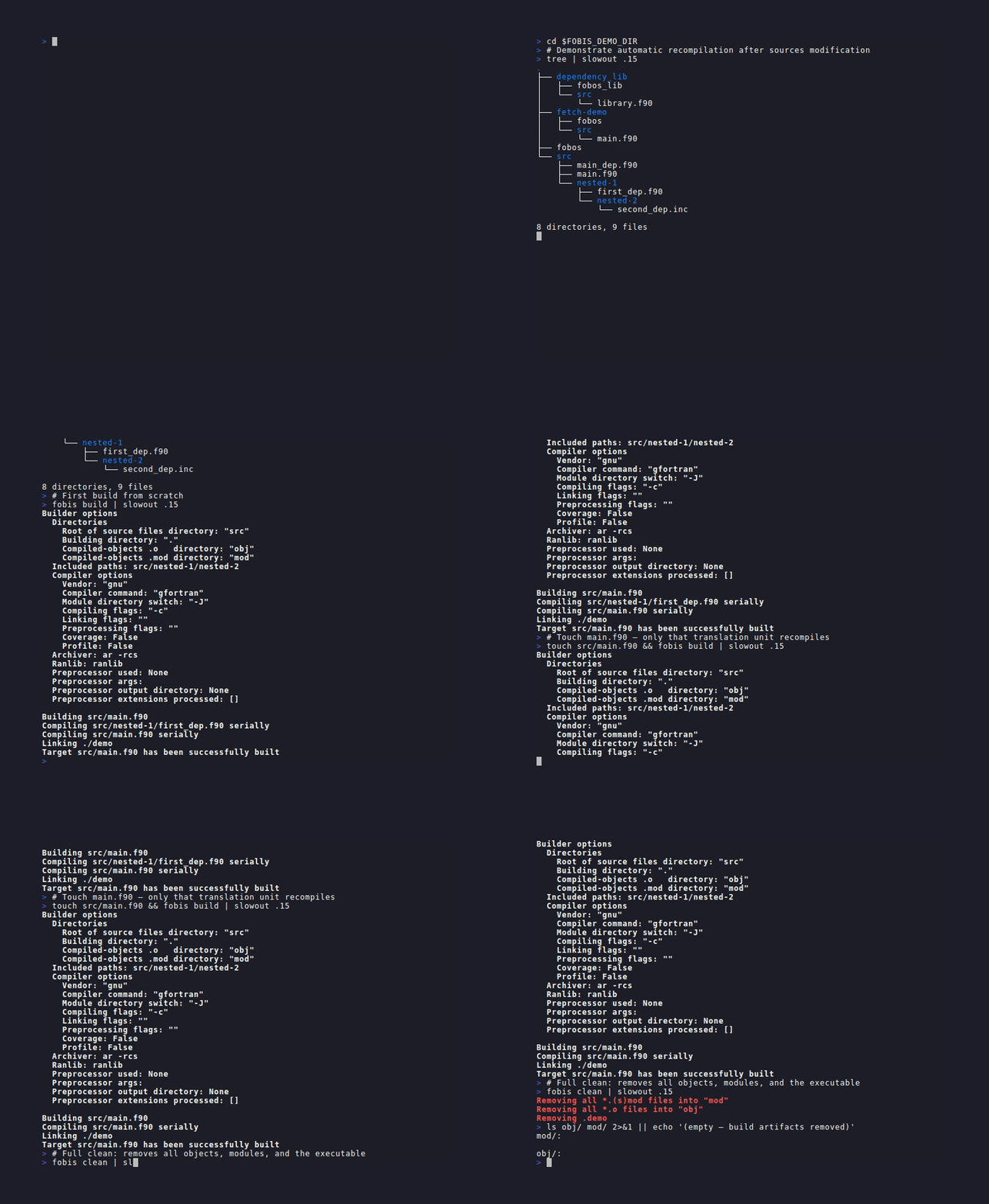
A build from scratch, a touched file compiled again, then fobis clean.
The cascade follows timestamps: touching a low-level module recompiles every file above it, even when its interface did not change.
Rebuild after changing the flags
[template-gnu]
compiler = gnu
src = ./src/
cflags_heritage = Trueor --cflags-heritage (--ch). The mode's compile flags (with the macros, and the C command when the mode sets a C key) are saved in <build_dir>/.cflags.heritage, or <build_dir>/.<target>.cflags.heritage with a target; when the next build's differ, everything is recompiled:
$ fobis build --mode debug --features -checks --target test/odd_intervals.F90 --output odd --quiet && ./build/debug/odd
The present cflags are different from the heritages one: forcing to (re-)compile all

Building test/odd_intervals.F90
Compiling src/quad_rules.F90 serially
Compiling test/polynomials.F90 serially
Compiling test/odd_intervals.F90 serially
Linking build/debug/odd
Target test/odd_intervals.F90 has been successfully built
integral of x**3 on [0, 2] (exact 4): 3.094650- The file is written when the build starts, before compiling: a build that fails after a flag change leaves the objects it did not reach with the old flags, and the next build no longer sees a change. Rerun with
--force-compile. - Link flags are not compared.
Rebuild after changing the compiler
Nothing to do. Every build records, in <obj_dir>/.fobis-compiler.json, the compiler behind the mode's command: its resolved path and the first line of its --version (and the C compiler's, with C files). When the next build finds another one, typically a module load of another release that keeps the name gfortran, it prints The compiler changed since the last build (path '...' -> '...'; version '...' -> '...'): rebuilding everything and recompiles everything, instead of linking objects and reading .mod files of two compilers.
- The record is written only after a build without compile failure: a failed build leaves the next one forced.
- No record (the first build, objects of an older FoBiS): nothing is forced.
Keep build products out of the sources
[release]
compiler  = gnu
cflags    = -c -O2
build_dir = ./build/release/
obj_dir   = obj/
mod_dir   = mod/
obj_dir and mod_dir (default ./obj/ and ./mod/) are inside build_dir (default ./); the program goes to build_dir, named after its file or output. One build_dir per mode keeps the modes' objects apart.
fobis build --mode release --build-dir /scratch/me/quad # wins over the mode's build_dirShadow builds (--shadow, in Testing) and the variants of fobis assess keep their objects under .fobis/, apart from yours.
Clean
fobis clean --mode debug        # objects, module files and the mode's program
fobis clean --only-obj          # objects and module files, keep the program
fobis clean --only-target # the program, keep the objects$ fobis clean --mode debug
Removing all *.(s)mod files into "build/debug/mod"
Removing all *.o files into "build/debug/obj"
Removing build/debug/integrate- It reads the same mode as
build, so the same directories are cleaned: give it the same--modeand-f. - The program is removed only when there is a target (the mode's
target, or--target): without one, as in a build with no fobos, the programs stay (see the tutorial's cleaning). - Also removed:
<build_dir>/.cflags.heritageand the compilation database with its root link. The compiler record and a.<target>.cflags.heritagestay. --only-objand--only-targetexclude each other.
Choose the sources
[release]
compiler     = gnu
cflags       = -c -O2
src          = ./src/
               ./vendor/lib/src/
exclude_dirs = ./src/experimental/
exclude = old_solver.f90fobis build --src ./src --src ./vendor/lib/src # repeat the option for several
fobis build --exclude old_solver.f90 --disable-recursive-searchsrclists directories, walked recursively unlessdisable_recursive_search = True.excludematches file names:exclude = src/old_solver.f90excludes everyold_solver.f90.exclude_dirsexcludes a directory and those below it: a directory is skipped when its path contains the given one, so./src/oldalso skips./src/older.extensionssets which files are read (default: every Fortran extension, the include extensions and.c); a mode setting it must list everything it wants,.cincluded.- Fetched dependencies used as sources join
srcby themselves: see Dependencies.
Modules from outside the project
[release]
compiler          = nvfortran
cflags            = -c -O3
include           = /opt/hdf5/include
intrinsic_modules = hdf5 h5lt mpi_f08
A use of a module no project file defines warns the file 'X' depends on 'NAME' that is unreachable and is left to the compiler, which must find NAME.mod in an include directory. intrinsic_modules silences the warning for modules that come from outside (case-insensitive, for that mode). The standard intrinsics and the compiler's own modules (cudafor with nvfortran, ifport with Intel, the list in compilers) are skipped already. Libraries found through pkg-config or a wrapper: Libraries and integration.
Fortran include files
include 'kernel.inc' makes the file depend on kernel.inc: changing it recompiles the files including it. Include files (extensions inc, default .inc .INC .h .H) are never compiled; FoBiS finds them in the source directories and the include directories, and passes their directory to the compiler.
Files named alike
Two files with the same name in different directories (lib/one/util.f90, lib/two/util.f90) are both compiled and linked: their objects are named after their path (lib_one_util.f90.o, lib_two_util.f90.o); a file whose name is unique keeps util.o. Two programs named alike would write one executable: FoBiS warns; build each with its own --target and --output.
C files with the Fortran ones
[release]
compiler  = gnu
cflags    = -c -O2
c_cflags  = -c -O2 -std=c11
c_preproc = -DNDEBUG
src       = ./src/
.c files among the sources are compiled with the family's C compiler and linked into every program and library, with nothing in the fobos naming them (a timer through clock_gettime, a wrapper of a C library called through bind(c)). Tutorial: a timer in C.
compiler | C compiler | with mpi | OpenMP |
|---|---|---|---|
gnu, opencoarrays-gnu, nag | gcc | mpicc | -fopenmp |
intel | icx | mpiicc -cc=icx | -qopenmp |
intel_nextgen | icx | mpiicx | -qopenmp |
nvfortran | nvc | mpicc | -mp |
pgi | pgcc | mpicc | -mp |
amd | amdclang | mpicc | -fopenmp |
ibm | xlc_r | mpicc | -qsmp=omp |
g95, lfortran, custom | gcc (g95), cc | mpicc | none |
Measured: gcc 16 with gfortran, nvc 26.5 with nvfortran, icx 2026.1 with ifx 2025.3, Open MPI 5.0 mpicc; the others are the vendors' documented names.
- The Fortran flags never reach C.
c_cflags(default-c, added when missing) andc_preprocdo;ccnames another C compiler.openmp,coverageandprofileadd the C compiler's own flag; a build profile adds its C flags beforec_cflags. A shared library needs-fPICin bothcflagsandc_cflags. - Dependencies: a C file is read for its
#include "..."lines only (every one, whatever#ifholds it); a project header that changes recompiles it.#include <...>headers are the system's."sys/clock.h"is found by the end of its path, and the directory it is relative to joins the include path. - Headers: a
.hfile written in C (a/* */comment,typedef,extern,#include <...>) is a C header: never compiled, never read as a Fortran include file. - Objects:
clock.ccompiles toclock.c.o, so aclock.f90beside it keepsclock.o. - Errors: a C file that does not compile fails the build (a Fortran file defining no module that fails is dropped from the link with a warning).
build --jsonreports its error with file and line,tool: "c". - Elsewhere: the compilation database and the Makefile export have the C files; the compiler record holds the C compiler;
introspect --compilershowsccandc_cflags. - Left out:
lint,query,reviewand the other analysis commands,--explain(it stops at a C error), shadow modes andassessvariants (Fortran flags only), and PreForM.
Preprocess with PreForM or another tool
[gnu-preform]
compiler          = gnu
cflags            = -c -O2
preprocessor      = PreForM.py
preprocessor_ext  = .pfm .F90
preprocessor_dir  = pfm/
preprocessor_args = -DDEBUG
extensions        = .f90 .F90 .pfm
src = ./src/fobis build --preprocessor # PreForM.py on every Fortran file
fobis build --preprocessor fypp --npp # another tool; --npp drops the -o before its output
fobis build --preprocessor --epp .pfm --dpp pfm/Each selected file is passed through preprocessor ARGS FILE -o <name>.pp.f90 and the result compiled; the preprocessed file is deleted after compiling unless preprocessor_dir (--dpp, inside build_dir) keeps it.
preprocessor_ext(--epp, repeatable) restricts the preprocessor to those extensions; without it every Fortran file goes through. C files never do.- A file must be read to be preprocessed: a non-Fortran extension such as
.pfmmust be inextensionstoo. preprocessor_args(--app) go to the preprocessor;preprocgoes to the compiler.- A preprocessor not on the PATH is reported (
... is not in your PATH!) and the compiles fail. PreForM.py expands templates andcpp-like directives.
The build cache
fobis cache list                 # entries, with key, compiler, size and date
fobis cache show penf            # the entries of one dependency
fobis cache clean --older-than 30
fobis cache clean                # the whole cache directory
The cache directory is ~/.fobis/cache/ (FOBIS_CACHE_DIR, or --cache-dir on each subcommand), keyed by SHA-256(source commit | compiler | sorted cflags | FoBiS version) for use=fobos dependencies.
- Nothing fills it in this version: neither
buildnorfetchstores or restores entries, and--no-cache,--cache-dironbuild, and the mode keysno_cacheandcache_dirchange nothing. Incremental builds rely on timestamps alone. - Pins decide the code, not the cache: a dependency's
tag=/rev=in the fobos, and the lock file (Dependencies).
Build and run
fobis run --mode release                  # build the mode, then run its program
fobis run --mode release -- input.nml     # arguments after -- go to the program, untouched
fobis run --no-build                      # run what the last build left
fobis run --dry-run                       # print the build and run commands
fobis run ./build/release/other # build the mode, run this binary$ fobis run --mode release
Builder options
Directories
Root of source files directory: "src"
Building directory: "build/release"
Compiled-objects .o directory: "build/release/obj"
Compiled-objects .mod directory: "build/release/mod"
Compiler options
Vendor: "gnu"
Compiler command: "gfortran"
Module directory switch: "-J"
Compiling flags: "-c -O2"
Linking flags: ""
Preprocessing flags: ""
Coverage: False
Profile: False
Archiver: ar -rcs
Ranlib: ranlib
Preprocessor used: None
Preprocessor args:
Preprocessor output directory: None
Preprocessor extensions processed: []
Building src/integrate.F90
Nothing to compile, all objects are up-to-date
Linking build/release/integrate
Target src/integrate.F90 has been successfully built
n trapezoid error simpson error
4 1.0388E-01 4.5598E-03
8 2.5768E-02 2.6917E-04
16 6.4297E-03 1.6591E-05
32 1.6066E-03 1.0334E-06
64 4.0161E-04 6.4530E-08- The program is the mode's
output(or its target's name) in itsbuild_dir; the mode needs one of the two. A name given afterrunis the binary to start, not a target to build: the build is the mode's, whole. - Exit status: the program's; a program killed by a signal gives 128 + the signal (139 for a segmentation fault). A failed build stops before running.
- Launchers:
--launcher "gdb --args",--launcher "valgrind --error-exitcode=1",--ranks 4formpirun -np 4; a mode can keeplauncher = mpirun -np {ranks}. More in HPC and clusters. --shadow checksruns the mode rebuilt with runtime checks;--explainexplains a crash (AI assistance).- Unknown options before
--are an error, not passed to the program.
Check the dependency graph
fobis check                 # no compile: unresolved modules and includes, cycles
fobis check --strict        # any other analysis warning fails too
fobis check --json$ fobis check --json
{
"status": "ok",
"files": 241,
"unresolved": [],
"cycles": [],
"warnings": []
}It scans the sources as build would (fetched and test-only dependencies included) and exits 1 on a use nothing provides, an include no source directory holds, or files depending on each other in a cycle. A module found as a .mod in an include directory, or defined by a dependon project, is provided. fobis build stops on a cycle with the same message (error: circular dependency: a -> b -> a). A fast first step in CI: see Continuous integration.
Inspect the resolved settings
fobis introspect --compiler --buildoptions --mode shared   # the flags as FoBiS will pass them
fobis introspect --sources                                 # every file: modules, uses, program, language
fobis introspect --all --format toml
fobis introspect --all --write # one .fobis-info/intro-*.json per section$ fobis introspect --compiler --buildoptions --mode shared
{
"compiler": {
"name": "gnu",
"binary": "",
"cflags": "-c -O2 -fPIC",
"lflags": "",
"preproc": "",
"cc": "gcc",
"c_cflags": "-c"
},
"buildoptions": {
"mode": "shared",
"build_dir": "./build/shared/",
"obj_dir": "./obj/",
"mod_dir": "./mod/",
"mklib": "shared",
"jobs": 1
}
}Sections: --sources, --compiler, --dependencies, --targets (the mode's program or library), --include-dirs, --buildoptions (with the qualified keys), --projectinfo, --varsets, --all; --varset and --shadow apply before resolving. A call with no section prints {}. --compile-commands prints the compilation database of the mode, alone (Libraries and integration).
Two build options leave files to look at: --log writes <build_dir>/build_<file>.log (the dependencies of each built program), --graph its dependency graph (graphviz). --verbose is the most detailed output.