Models, knowledge and agents
The setup behind the AI features: a language model run locally, the knowledge packs the answers are grounded on, and the ways an external agent (Claude Code, Codex, any MCP client) uses FoBiS. The features themselves (--explain, ask, review --deep, testgen, commit, merge-assist) are in AI assistance.
How it works:
- The managed provider (the default). FoBiS installs a pinned build of llama.cpp's
llama-server, starts it on127.0.0.1when a command needs the model, and stops it when the command ends;fobis llm serve startkeeps one running between commands instead. No service to install, no compiled Python dependency: the standalonefobis.pyzdoes the same. - The model store. Open-weight GGUF models from the Hugging Face Hub, pinned to a commit and checked against the Hub's sha256, in
~/.fobis/llm(or$FOBIS_LLM_DIR), with the runtime, the logs and the server record. - Nothing downloads implicitly. Only
fobis llm runtime installandfobis llm pulldownload; a command missing either stops with the command to run. - Other providers.
provider = ollamaorprovider = openai(any OpenAI-compatible server or hosted service) in the[llm]section of the user configuration,~/.config/fobis/config.ini. - Knowledge packs and agents need no model. The packs are searched lexically; the MCP server and
agents-mdgive an agent facts, never a model's answers.
Tutorial: a model of your own, an agent under the gate, instructions for agents. Reference: llm, kb, mcp, agents-md, user configuration.
A local model in two commands
fobis llm runtime install     # the pinned llama-server, in the variant this machine supports
fobis llm pull coder-7b       # the default model, 4.7 GB
Every LLM feature then works with no further option. Without a [llm] section, the provider is managed and the model coder-7b.
- The runtime is pinned and verified.
runtime installdownloads the llama.cpp release FoBiS is pinned to (b11308), checks it against the sha256 recorded in FoBiS's source, unpacks it under~/.fobis/llm/runtime/<build>-<variant>/and runsllama-server --version. A CUDA variant also downloads the CUDA runtime libraries upstream publishes separately (0.4 to 0.6 GB). - The variant is detected: Metal on Apple silicon,
cuda13orcuda12whennvidia-smireports a driver supporting that CUDA version, otherwisecpu; the command prints why.--variantchooses another:cpu,metal,cuda12,cuda13,vulkan(AMD, Intel and NVIDIA GPUs),rocm,sycl(Intel GPUs), each where upstream builds it.
fobis llm runtime install --variant vulkan     # several variants can be installed side by side
fobis llm runtime list                         # installed builds, and the variants of this platform
fobis llm runtime remove b11308-cpu
fobis llm runtime install --build <bNNNNN> --sha256 <hash>   # another llama.cpp build: its hash, or --trust
With several variants installed, runtime_variant in [llm] chooses; auto takes the detected one when installed.
Check the setup
fobis llm doctor              # provider, directory, platform, runtime, model; then starts the model and times an answer
fobis llm doctor --no-sample # the checks only, nothing started$ fobis llm doctor
ok provider managed (model coder-7b)
ok directory ~/fobis-dev/llm
ok platform linux/x86_64, variants cpu, cuda12, cuda13, vulkan, rocm, sycl; auto -> cuda12 (NVIDIA driver supports CUDA 12.9)
ok runtime ~/fobis-dev/llama.cpp-b11308/build/bin/llama-server (version: 0.5.0-dev (build 1, commit feb9a3d))
ok model models/Qwen/Qwen2.5-Coder-7B-Instruct-GGUF/13fb94bfda8c8cf22497dc57b78f391a9acb426a/qwen2.5-coder-7b-instruct-q4_k_m.gguf
ok start server ready in 0.0 s
ok sample 'ready' in 0.0 s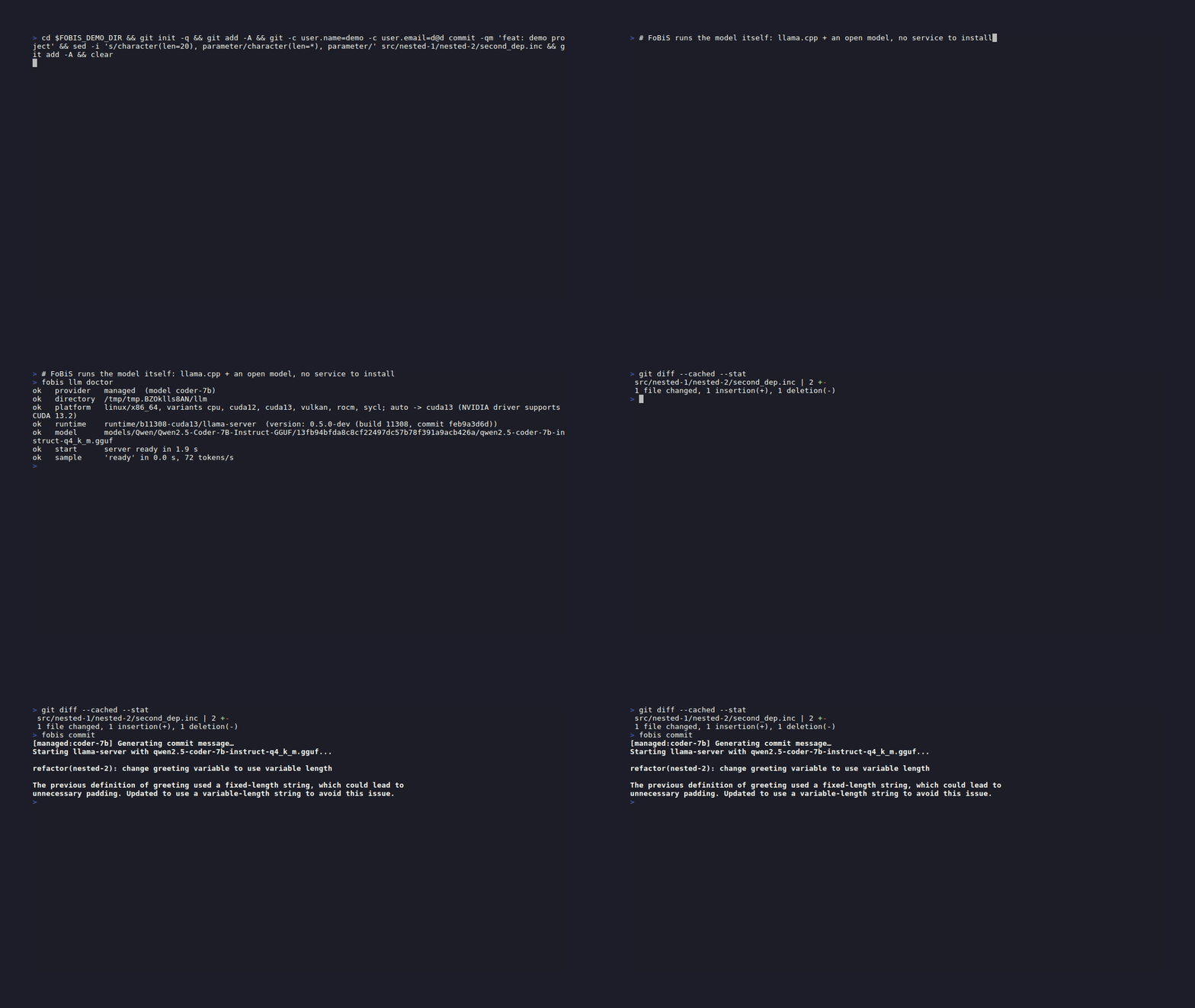
A failed check prints BAD with the command that fixes it, and doctor exits 1. With the pinned runtime it also checks that the installed build is the pinned one. With ollama or openai, it shows the server address (FoBiS does not start that server) and times the sample answer there.
Choose a model
$ fobis llm recommended
coder-0.5b       491 MB  Apache-2.0  smoke tests of the setup only: too small to describe a diff
coder-1.5b       1.1 GB  Apache-2.0  quick experiments on CPU; copies prompt examples instead of reading the diff
coder-7b         4.7 GB  Apache-2.0  default choice: 8 GB GPU, or a recent CPU
coder-14b        9.0 GB  Apache-2.0  12-16 GB GPU
coder-30b-a3b   18.6 GB  Apache-2.0  24 GB GPU; mixture of experts (3B active), fast for its size

Pull one with: fobis llm pull <alias>   (or any hf:<org>/<repo>[@<rev>]/<file>.gguf)
Each alias names one file of one commit of a Hub repository (4-bit Q4_K_M quantisations of Qwen2.5-Coder and Qwen3-Coder, all Apache-2.0), so coder-7b is the same bytes on every machine. Set the model once:
[llm]
model = coder-14b- Size decides quality. On FoBiS's own commit task the 0.5B and 1.5B models do not read the diff: they copy the prompt's examples. They prove the setup works; use
coder-7bor larger for work. - A GPU decides speed. Measured with
doctor(WSL2, NVIDIA driver for CUDA 13.2):coder-0.5bon the CPU ready in 0.6 s and 112 tokens/s;coder-7bon the CPU 5.0 s and 12 tokens/s;coder-7boncuda132.4 s and 68 tokens/s, wherefobis committakes a few seconds end to end. On an NVIDIA A30 node,coder-7bgenerated 29 tokens/s. - One command, another model:
--modelonfobis llm ask,fobis ask,fobis commit,fobis llm serve start.
Pull any GGUF model
fobis llm pull hf:Qwen/Qwen2.5-Coder-7B-Instruct-GGUF/qwen2.5-coder-7b-instruct-q4_k_m.gguf
fobis llm pull hf:org/repo@v1.2/subdir/model-q5_k_m.gguf   # a branch, tag or commit; main when omitted
fobis llm list                # the store: sizes, dates, pinned specs
fobis llm list --json         # with the file paths, for scripts or another llama.cpp
fobis llm rm coder-7b         # a spec without @revision removes every stored revision
The model key takes an alias, an hf: spec, or the path of a GGUF file.
- The revision is pinned.
pullresolves the revision to a commit and records it: a latermaindoes not replace your model. - Verified, resumable, idempotent. The size and sha256 of each file come from the Hub; a mismatching file is deleted and the error says so. An interrupted download keeps its
.partfile and the nextpullresumes it. Pulling a stored model does nothing. Disk space is checked first. - Split models: name the first part (
model-00001-of-00003.gguf) and every part is pulled. - Gated repositories: accept the licence on the Hub, create an access token and export it as
HF_TOKEN. FoBiS sends it to the Hub only: when the Hub redirects a download to its content-delivery network, the token is not forwarded. - Mirrors:
HF_ENDPOINTreplaceshttps://huggingface.co, for an institutional proxy. - An Ollama tag is not a model of the store. With the managed provider,
model = qwen2.5-coder:7bstops with a message saying such a name needsprovider = ollamaoropenai.
Keep the server running
Loading a model takes seconds (longer for a large model on a CPU). For several LLM commands in a row:
fobis llm serve start         # the configured model (or --model coder-14b)
fobis commit                  # attaches to the running server: no start-up
fobis llm serve status        # model, address, process, log; exit 1 when none runs
fobis llm serve stop$ fobis llm ask "In one sentence: what does the Fortran intrinsic merge(tsource, fsource, mask) return?"
Using the running llama-server at http://127.0.0.1:41675
The Fortran intrinsic `merge(tsource, fsource, mask)` returns an array where each element is taken from `tsource` if the corresponding element in `mask` is true, otherwise it is taken from `fsource`.- Same model only. A command attaches to the persistent server when it serves the model the command needs; otherwise it starts its own, as usual, and leaves the persistent one alone.
- It outlives the terminal, until
serve stopor a reboot: stop it on a shared machine. A secondserve startis refused while one runs. - The record:
~/.fobis/llm/server.json(address, process, key), readable by you only;serve status --jsonprints it without the key, and an empty object, with exit 0, when none runs. The log is~/.fobis/llm/logs/llama-server-persistent.log; a per-command server logs tologs/llama-server.log, whose last lines the error shows when the server fails to start.
Tune the managed server
[llm]
; context in tokens, prompt plus answer
n_ctx           = 16384
; layers offloaded to the GPU: a number, auto or all
n_gpu_layers    = auto
; CPU threads; 0 lets llama.cpp choose
threads         = 0
; seconds to wait for the model to load
startup_timeout = 120- Loopback only, one key per process. The server listens on
127.0.0.1, on a free port, and refuses requests without a random key generated for it. The key is on the server's command line: another user who can list your processes can read it. - Login nodes usually forbid heavy computation: cap
threads, or run on a compute node. - Stopped on exit. A per-command server stops when the command ends, on Ctrl-C and on
kill. - Bounded answers. Every structured answer is constrained by a JSON Schema whose strings and lists are bounded, and every request caps its tokens: unbounded,
coder-0.5brepeated"ours", "ours", ...for 30 s and returned invalid JSON; bounded, valid JSON in 3 s.
Use Ollama or an OpenAI-compatible server
[llm]
provider = ollama
url      = http://localhost:11434
model = qwen2.5-coder:7b[llm]
; LM Studio, vLLM, a llama-server you started: FoBiS adds /v1/chat/completions
provider = openai
url = http://localhost:1234
model = qwen2.5-coder-7b-instruct[llm]
; a hosted service: name the variable holding the key, never the key
provider = openai
url = https://api.openai.com
model = gpt-4o-mini
api_key_env = OPENAI_API_KEYfobis commit --init-config # write the commented template, where the file is missing
fobis commit --show-config # the settings in effect
fobis llm ask --provider ollama --model qwen2.5-coder:7b "Reply with one word: ready"
fobis commit --provider openai --url http://localhost:8080 --model model # one run, nothing editedThe command line wins over the configuration, which wins over the defaults. --url and --api-key-env exist on fobis commit only; --config FILE there reads another configuration file.
- An old Ollama configuration keeps working. Before the managed runtime the default was Ollama: a
[llm]section settingmodelorurlwithoutproviderstill means Ollama. Addprovider = managedto switch. - Set
urlandmodelwithopenai. Their defaults are Ollama's:http://localhost:11434andqwen3-coder:30b-a3b-q4_K_M. - The key is sent as
Authorization: Bearer <key>only whenapi_key_envis set, and FoBiS stops with an error when the named variable is unset or empty. A key is never read from an implicit default variable. - A hosted service receives your code: the staged diff, the sources and messages the feature sends.
- No
maxLengthtoopenaiservers: OpenAI's strict structured outputs may reject it; the list bounds and the token cap still apply. backendis the former name ofprovider(key and--backend), still read.
An offline cluster
Prepare the LLM directory where there is internet, copy it, point FoBiS at it:
FOBIS_LLM_DIR=/scratch/me/fobis-llm fobis llm pull coder-7b          # connected machine
FOBIS_LLM_DIR=/scratch/me/fobis-llm fobis llm runtime install --variant cuda12
rsync -a /scratch/me/fobis-llm/ cluster:/work/me/fobis-llm/
export FOBIS_LLM_DIR=/work/me/fobis-llm                               # on the cluster
fobis llm doctor
The paths inside the directory are relative, so it works wherever it lands. With the standalone archive the commands are python3 fobis.pyz llm ....
An older glibc. The pinned release binaries are built on a recent Ubuntu and need glibc 2.38 and a recent libstdc++: on RHEL 8 (glibc 2.28) llama-server stops with version `GLIBC_2.34' not found, and runtime install warns that --version failed. Build the pinned release on a compute node and point runtime at it. On an A30 cluster (gcc 12 from gcc-toolset-12, CUDA 12.3, cmake 3.26) it took 4 minutes on 16 cores:
git clone --depth 1 --branch b11308 https://github.com/ggml-org/llama.cpp
cmake -S llama.cpp -B llama.cpp/build -DGGML_CUDA=ON -DCMAKE_CUDA_ARCHITECTURES=80 -DLLAMA_CURL=OFF \
  -DLLAMA_OPENSSL=OFF -DLLAMA_BUILD_TESTS=OFF -DLLAMA_BUILD_EXAMPLES=OFF -DCMAKE_BUILD_TYPE=Release
cmake --build llama.cpp/build --target llama-server -j 16[llm]
runtime = /path/to/llama.cpp/build/bin/llama-server
n_gpu_layers = 99runtime = PATHruns thellama-serverfound on the PATH: a site module of llama.cpp.- Run on a GPU node, inside a job: login nodes rarely have a GPU. There
coder-7bstarted in 8 s and answeredfobis askin 3.4 s, withfobis llm serve startkeeping the server up between commands. - The stored files are plain GGUF: any llama.cpp build serves them (
fobis llm list --jsongives the paths).
Ask the model directly
fobis llm ask "What does the Fortran 'contiguous' attribute guarantee?"
fobis llm ask --schema answer.json "Name the intrinsic"   # the answer constrained to a JSON Schema
git diff | fobis llm ask -                                # the prompt from standard input
fobis llm ask --system "Answer in one line." "What is an elemental procedure?"
The answer streams to standard output, from the configured provider: a quick check of any setup. It is the bare model, with no grounding: for an answer cited from the packs and your sources, fobis ask in AI assistance.
Search the knowledge packs
fobis kb list                                        # installed packs: version, scope, sections, licence
fobis kb search "firstprivate associate copyin"      # the best sections, with their ids and scores
fobis kb search "reduction" --pack openacc -k 3      # one pack (repeatable), three results
fobis kb search "MPI_Init_thread thread level" --json
fobis kb show openacc:patterns#routine-for-device-callable-functions
fobis kb show openmp:ch07-data-environment#key-concepts -C 1   # with one neighbouring section on each side
fobis kb notice openmp                               # licence, attribution, source revision, NOTICE
The shipped packs, about 800 sections in all, CC-BY-4.0 by Stefano Zaghi:
fortran-std,openmp,openacc,mpi: distilled references of Fortran 2023, OpenMP 6.0 with the November 2025 errata, OpenACC 3.4 and MPI 5.0. Independent syntheses, not the standards: the normative text is the published standard. The OpenMP and MPI material is copied by permission of the OpenMP ARB and the University of Tennessee.hpc-practice: Fortran conventions and GPU/HPC pitfalls, many measured on production codes.compilers,libraries,numerics: gfortran, ifx/ifort and nvfortran behaviour (default optimisation, checks, floating-point models, precision promotion, stack, module files), MPI implementations and HDF5 from Fortran, and the error-assessment methods behindfobis assessandfobis bench. Every behaviour is measured on a small program with the version named, or cited; a test compiles a program with every flag thecompilerspack names.
Every section has a stable id, pack:document#section. fobis lint --explain ACC006 lists the sections behind a rule, fobis assess names the section of each family's method, and fobis ask, --explain and --deep ground their answers on them.
- Retrieval is lexical, no model and no embeddings: BM25 with heading words counted twice, plus a bonus for a query term that is one of the section's symbols (the directive, clause and routine names in its code spans, the constraint ids it cites). Name the exact thing:
firstprivate,mpi_isend,C1004. Plurals are folded and a few synonyms expanded (hangfinds deadlock); a paraphrase without the technical word finds little. - Exit status: a search with no match prints
No match.and exits 0; an unknown pack or section exits 1. - Reusing pack content means keeping its attribution (CC-BY-4.0):
kb noticeprints it.
Your own knowledge pack
Any markdown becomes a pack: notes, team conventions, a Claude skill directory.
fobis kb build ~/notes/gpu-lessons.md --name gpu-lessons --private      # yours only: no licence, never redistribute
fobis kb build docs/conventions/ --name team --license CC-BY-4.0 --attribution "ACME HPC group" --project
fobis kb build docs/conventions/ --name team --license CC-BY-4.0 --out build/team-pack   # build, do not install
fobis kb add path/to/pack-dir                        # install a pack built elsewhere (--project for the project)
fobis kb remove gpu-lessons                          # a user pack (--project for a project pack)
Packs are found in three places; on a name clash the narrowest wins:
- project:
.fobis/kb/<name>/of the current directory, versioned with the project; - user:
$XDG_CONFIG_HOME/fobis/kb/<name>/(~/.config/fobis/kb/when unset); - shipped: inside FoBiS, which cannot be removed.
- What the build keeps: the content, one searchable section per heading, long sections split at paragraph boundaries. It drops what is addressed to an assistant: YAML front matter, sections such as "How to Use This Skill", lines telling the reader to consult a skill.
- A licence is required (
--license, an SPDX id) unless--private;--title,--attributionand--notice FILEcomplete the pack's credits. - A pack directory holds
pack.ini(name, version, title, licence, attribution, source), an optionalNOTICE, andindex.json(the sections): copy it to share it, andkb addit.
An MCP server for your agent
claude mcp add fobis -- fobis mcp # Claude Code, for the current projectAny client that launches stdio servers runs fobis mcp in the project directory, or with --root:
{
  "mcpServers": {
    "fobis": { "command": "fobis", "args": ["mcp", "--root", "/path/to/project"] }
  }
}
With the standalone archive the command is python3 fobis.pyz mcp.
$ python3 tools/mcp_client.py list
fobis: protocol 2025-06-18
  lint                 read-only  Lint Fortran sources
  review               read-only  Review a change
  list_rules           read-only  List lint rules
  explain_rule         read-only  Explain a lint rule
  kb_search            read-only  Search the knowledge packs
  kb_show              read-only  Show a knowledge-pack section
  ask_context          read-only  Retrieve grounding for a question
  query                read-only  Query the code graph
  agents_md            read-only  Project briefing for agents
  bindings             read-only  Plan C and Python bindings
  introspect           read-only  Project build facts
  check                read-only  Check the dependency graph
  tree                 read-only  Dependency tree
  merge_conflicts      read-only  Analyse merge conflicts
  commit_facts         read-only  Facts of the staged change
  testgen_skeleton     read-only  Test skeleton for a module
  ecosystem_status     read-only  Ecosystem status
  ecosystem_impact     read-only  Impact of an API change
  case_list            read-only  List the declared cases
  provenance           read-only  Provenance of a result
  build                writes     Build the project
  test                 writes     Run the tests
  case_run             writes     Run cases
  verify               writes     Verify results against references
  matrix               writes     Build and test every mode x shadow
  assess               writes     Assess numerical error and uncertainty
  diff_run             writes     Compare results with a revision
  bench                writes     Measure run time
  profile              writes     Profile a case
  modernize            writes     Verify mechanical modernisation
  gate                 writes     One verdict for a change
  clean                writes     Clean build products
  fetch                writes     Fetch dependencies
The agent gets facts and grounded context, not FoBiS's model answers: the agent is a model already, and a local one answering for it would be a weaker one. So the tools return what FoBiS computes deterministically (findings, parsed compiler messages, diagnoses, crash facts, API changes, the sources an answer would be grounded on: ask_context), and ask, lint --deep, the model part of --explain, the testgen loop and commit messages stay command-line features. The agent calling the gate after its edit:
$ python3 tools/mcp_client.py call gate '{"stages": ["build", "test", "verify"]}'
result of gate
{
 "status": "fail",
 "base": "",
 "elapsed": 1.89,
 "stages": [
  {
   "stage": "build",
   "status": "pass",
   "advisory": false,
   "fact": "",
   "details": [],
   "commands": [
    [
     "build",
     "--json"
    ]
   ],
   "elapsed": 0.23
  },
  {
   "stage": "test",
   "status": "fail",
   "advisory": false,
   "fact": "test_exactness: failed: the program stopped itself: error stop at test/test_exactness.F90:10",
   "details": [
    "test_symmetry: failed: the program stopped itself: error stop at test/test_symmetry.F90:12"
   ],
   "commands": [
    [
     "test",
     "--json"
    ]
   ],
   "elapsed": 0.93
  },
  {
   "stage": "verify",
   "status": "pass",
   "advisory": false,
   "fact": "",
   "details": [],
   "commands": [
    [
     "verify",
     "--json"
    ]
   ],
   "elapsed": 0.73
  }
 ]
}- Results are the commands' JSON documents, as text and, with protocol 2025-06-18, as
structuredContent. A failed build or test is a result,"status": "error"with why, not a tool error.lintandreviewreturn at mostmax_findingsfindings (default 200) and say when they truncated. - Annotations tell the client what to confirm:
readOnlyHintis false for the tools listed aswritesabove,destructiveHinttrue forclean,idempotentHintfalse forfetch,openWorldHinttrue forfetchandecosystem_status(network). With Claude Code you approve each call unless you allow the tool. - The writing tools write build products, run directories and fetched dependencies, never sources or references:
verifynever updates a reference,benchnever records history,modernizenever applies its fixes,lintwithfix_diffreturns a diff and writes nothing. - Slow tools:
matrixbuilds once per cell,assessonce per variant.test,case_run,verify,assess,diff_run,benchandprofiletakerunner: slurmto submit the runs as jobs: see HPC and clusters. - Resources:
fobis://rules/{id}(a lint rule's documentation, listed) andfobis://kb/{id}(a pack section, its id URL-encoded;kb_searchgives each result's URI). - The protocol: newline-delimited JSON-RPC 2.0 on standard input and output, versions 2025-06-18, 2025-03-26 and 2024-11-05. The tools that read the fobos or build run
fobis ... --jsonas a subprocess, so nothing they print reaches the protocol stream; rules and packs are answered in process. Checked with the official MCP Inspector 2.10.1.
AGENTS.md and CLAUDE.md from facts
An agent reads AGENTS.md (Claude Code: CLAUDE.md) before working on a project. Written by hand it goes stale: a mode is renamed, the tests move, and the agent builds the wrong thing with confidence. fobis agents-md writes the part that is fact, from the fobos and the sources:
fobis agents-md                    # write or update the generated block of AGENTS.md
fobis agents-md -o CLAUDE.md       # the same block in CLAUDE.md (repeatable: -o AGENTS.md -o CLAUDE.md)
fobis agents-md --print            # print the block, write nothing
fobis agents-md --print --json     # the facts, for scripts and agents
fobis agents-md --mode release # the code facts of another mode's sources and defines$ fobis agents-md --print
<!-- fobis:begin agents-md -->
<!-- Generated by `fobis agents-md` from the fobos and the sources: regenerate it, do not edit it. Text outside the fobis:begin/end markers is yours and is kept. -->
## Building and checking quad
The build tool is FoBiS (`fobis`): it resolves the module dependencies itself, so there is no makefile to edit. Build settings live in the `fobos` file, one section per mode. Every command below accepts `--json`; with it, stdout holds only the JSON document.
### Modes
| Mode | Compiler | Builds | Flags | Parallel | Defines |
|---|---|---|---|---|---|
| `debug` | gnu | program `integrate` from `src/integrate.F90` | -O0, debug info, runtime checks | - | - |
| `release` | gnu | program `integrate` from `src/integrate.F90` | -O3 | - | - |
| `static` | gnu | static library `libquad.a` from `src/quad_rules.F90` | -O2 | - | - |
| `shared` | gnu | shared library `libquad.so` from `src/quad_rules.F90` | -O2 | - | - |
| `coverage` | gnu | program `integrate` from `src/integrate.F90` | -O0, debug info | - | - |
| `openmp` | gnu | program `sweep` from `src/sweep.F90` | -O3 | OpenMP | - |
| `mpi` | gnu | program `integrate_mpi` from `src/integrate_mpi.F90` | -O3 | MPI | - |
| `python` | gnu | shared library `libquad_c.so` from `bindings/quad_c.f90` | -O2 | - | - |
Without `--mode` FoBiS uses the first mode, `debug`. `fobis introspect --mode MODE --buildoptions` prints a mode's exact flags.
### Commands
- Dependencies: `fobis fetch` (into `.fobis_deps`) before the first build.
- Build: `fobis build --mode debug`; on failure `fobis build --json` lists the located diagnoses.
- Tests (3 programs in `test/`): `fobis test`; one test: `fobis test --filter NAME`.
- Doctests (in the comments of 1 file): `fobis doctests`.
- Runtime checks on any mode: add `--shadow checks` to build, run or test.
- Lint: `fobis lint`; only the lines you changed: `fobis review`.
- Questions about the code, instead of grep: `fobis query callers NAME` (also `callees`, `uses MODULE`, `writers VAR`, `readers VAR`, `defines NAME`, `interface NAME`, `region FILE:LINE`, `device VAR`, `mpi`).
- `fobis rule --ex dist`: A source archive
- `fobis rule --ex errors`: The table of errors, from the release build
- `fobis rule --ex smoke`: The last line of the program's output
### Verifying a change
No case is declared, so tests are the only check of results. Cases declared in the fobos (`[case:NAME]`, see `fobis case --help`) let `fobis verify` and `fobis diff-run` compare results.
### Code facts
- Sources (mode `debug`): `src`, `test`; 11 files (10 `.F90`, 1 `.f`), 4 modules.
- Programs: `src/integrate.F90 (integrate)`, `src/integrate_mpi.F90 (integrate_mpi)`, `src/sweep.F90 (sweep)`, `test/test_exactness.F90 (test_exactness)`, `test/test_order.F90 (test_order)`, `test/test_romberg.F90 (test_romberg)`.
- Dependencies (fobos `[dependencies]`): penf (https://github.com/szaghi/PENF :: tag=v2.0.1). Change them upstream, not here.
- `real` declarations by kind: `R8P` 39 (15 digits, from `quad_rules`), `DOUBLE PRECISION` 7.
- `integer` declarations by kind: `default` 21.
- Units without `implicit none`: `src/romberg.f: function romb`.
- Parallelism: OpenMP directives in 1 file; MPI through `mpi` in 1 file (5 MPI calls: `fobis query mpi`).
### MCP
The same facts and checks are MCP tools: `claude mcp add fobis -- fobis mcp` (any MCP client: command `fobis mcp` over stdio).
<!-- fobis:end agents-md -->- Your text is kept. The block sits between
<!-- fobis:begin agents-md -->and<!-- fobis:end agents-md -->; a new file gets a title and the block, a file without markers gets it appended, an existing block is replaced in place. Unbalanced or repeated markers stop the command (exit 2). - Only the repository, never the machine. Facts come from the fobos and the files git tracks or would track: no compiler versions, no fetched dependencies, no build directories, no date. The block is the same on a laptop and in CI, and a stale block is a real change.
- Kinds as written:
R8P, not the number, with their decimal digits and the module that defines them, found when it is a project module's constant or the single module exporting it through only-lists. - Included files belong to their includer: an
included file's procedures are not reported as lackingimplicit none. - It describes, it does not judge. Conventions it cannot measure (naming, error handling, the physics) belong in your hand-written part. One table row per mode: 94 rows for a 94-mode project. On a 251-file MPI + OpenACC code the facts took 2.2 s.
In CI, the block must be current:
- run: fobis agents-md --checkExit 0 when every file's block is current; 1 when one is stale (the diff is printed), has no block or does not exist; 2 for broken markers, an unwritable file or a fobos error. --check --json gives each file's status and diff. The MCP tool agents_md gives the same facts and block. More in Continuous integration.
The Claude Code skill
The FoBiS skill teaches Claude Code how to use FoBiS: fobos syntax, every command and its options, dependencies, library builds, the JSON output, the ecosystem, the diagnosis of common build errors. The MCP server lets the agent run FoBiS; the two complement each other: install both.
mkdir -p ~/.claude/skills/fobis
curl -sSL https://raw.githubusercontent.com/szaghi/FoBiS/master/.claude/skills/fobis/SKILL.md \
  -o ~/.claude/skills/fobis/SKILL.md
Or copy .claude/skills/fobis/SKILL.md from a FoBiS checkout. Claude Code loads it for any question naming fobos, FoBiS or a Fortran build, or on /fobis:
/fobis write a fobos file with debug (-O0 -g -Wall) and release (-O3) modes, gfortran, sources in src/
/fobis Fatal Error: Module 'penf_b_size' not found: what is wrong?
/fobis add PENF v2.0.1 as a dependency
The skill is plain markdown: edit it for your workflow, or build it into a knowledge pack with fobis kb build.