About MaTiSSe
MaTiSSe (Markdown To Impressive Scientific Slides) is a command-line tool that converts Markdown source files into high-quality HTML/CSS presentations.
Goals
Scientific speakers need:
- Equations — inline and display math, correctly rendered
- Code listings — syntax-highlighted, copy-friendly
- Structured layouts — multi-column, sidebars, headers, footers
- Reproducibility — source in version control, output fully deterministic
- Portability — a single output directory that runs in any browser
MaTiSSe addresses all of these from a single Markdown file.
How it works
A MaTiSSe source file is standard Markdown with a few extensions:
| Construct | Meaning |
|---|---|
# Heading | Chapter |
## Heading | Section |
### Heading | Subsection |
#### Heading | Slide title |
$titlepage | Title slide |
--- YAML --- | Metadata or theme block |
$figure...$endfigure | Figure environment |
$box...$endbox | Box environment |
$note...$endnote | Note environment |
$table...$endtable | Table environment |
$video...$endvideo | Video environment |
MaTiSSe parses the source, applies the theme, and generates a self-contained output directory containing index.html, css/, and js/.
Output
The output is powered by impress.js for slide transitions and positioning, MathJax 3 for equation rendering, and highlight.js 11 for code highlighting. By default all three are loaded from CDN; pass --offline to bundle them locally.
Architecture
Chapter (# heading)
└── Section (## heading)
    └── Subsection (### heading)
        └── Slide (#### heading)
Each level contributes to the automatically generated table of contents and to theme inheritance.
Each slide is composed of an infinite canvas on which one or more header, footer, sidebar, and content areas are laid out:
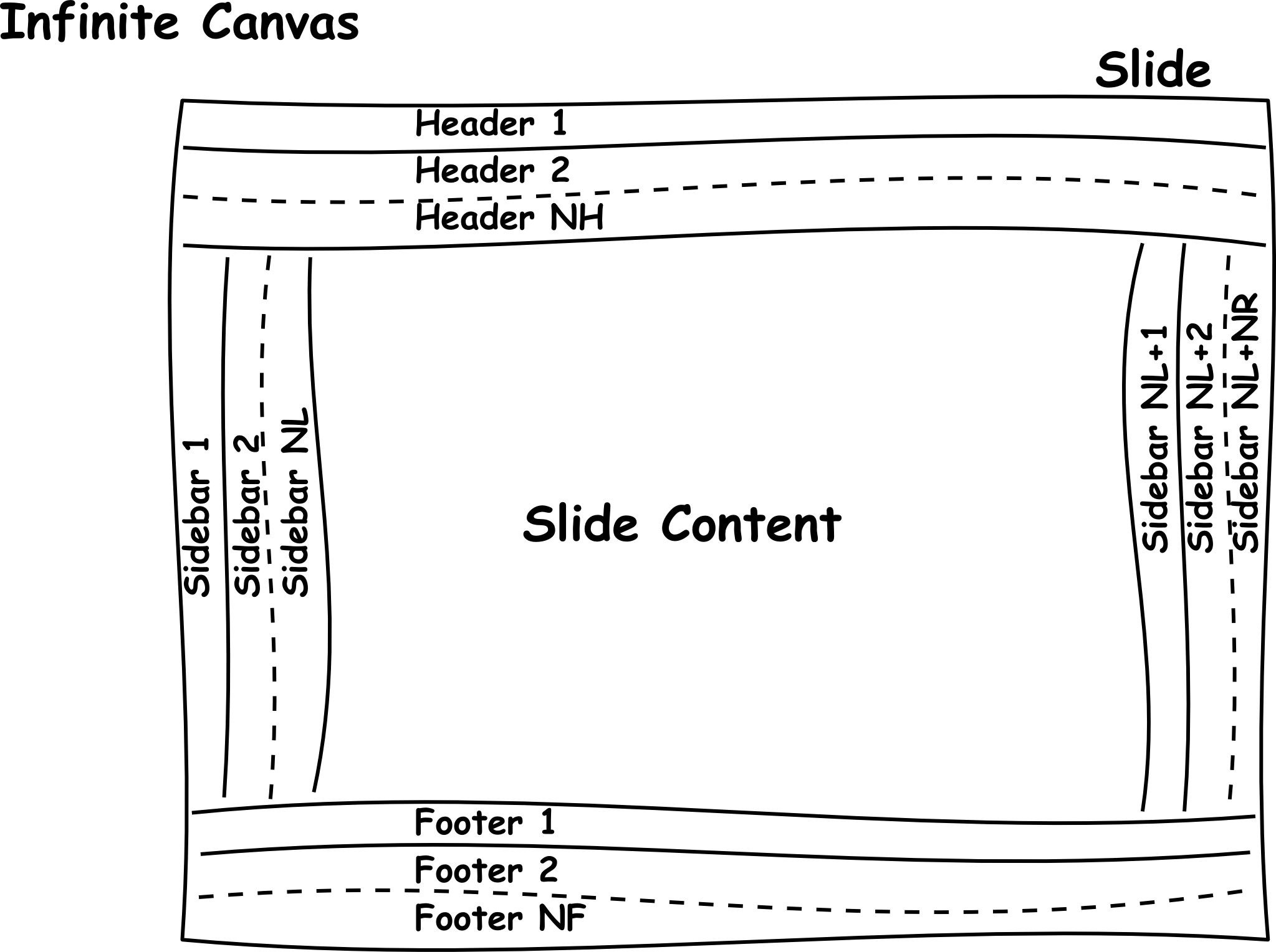
By default only the content area is enabled; headers, footers, and sidebars are activated and styled through the theme YAML.
Additional features
Beyond equations and code, MaTiSSe supports:
- Table of Contents — auto-generated from the chapter/section/subsection hierarchy
- Countdown timer — configurable presentation clock
- Navigation controls — keyboard and on-screen slide navigation
- Multimedia — figures with captions, embedded video and audio, multi-column layouts
- Theming — unlimited header/footer layers, left/right sidebars, per-slide overrides
Team
Main developer: Stefano Zaghi (@szaghi)
Contributors: Ronojoy Adhikari (@ronojoy) — and you? See Contributing.
Design philosophy
MaTiSSe targets scientific researchers who work with LaTeX-beamer and want modern, browser-based presentations without sacrificing equation quality or structured layout.
It is not designed for:
- "Drag and drop" or WYSIWYG editing
- Casual, unstructured presentations
- Users unwilling to write plain-text markup